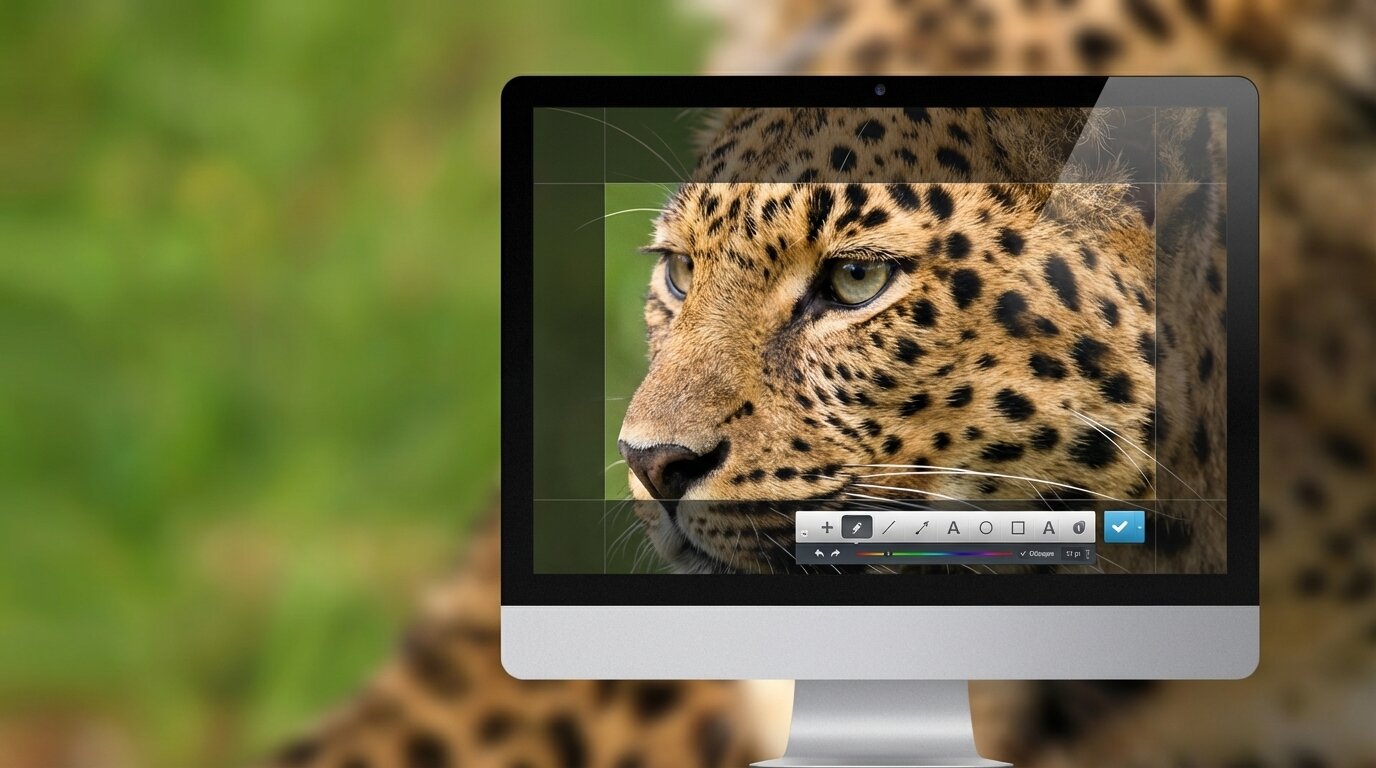

Joxi screen capture tool demonstrating leopard photo capture
#1 Screen Capture Tool — Free

Joxi — Capture,
Annotate & Share

Screenshot any part of your screen. Add arrows, text, blur & highlights. Get an instant shareable link. All in one click.

4.8/5 — Trusted by 500K+ users

Available on Windows, Mac, Chrome, Firefox & Opera

Screen Capture in 2026

The Complete Guide to Screenshot & Screen Recording Tools

Joxi has pioneered effortless screen capture since its launch, letting users grab any part of their screen, annotate it with arrows, text, and highlights, and share it via an instant cloud link — all within seconds. Whether you are a developer filing a bug report, a designer collecting feedback on a UI mockup, or a remote worker explaining a workflow to a colleague, having a reliable screenshot tool eliminates thousands of words of explanation. Modern screen capture goes far beyond static images: scrolling capture for full web pages, GIF and video recording, on-screen annotation toolbars, and one-click cloud sharing have all become standard features.

With dozens of options available, choosing the right tool depends on your platform, workflow, and whether you need advanced features like team collaboration or just a fast way to capture and share. Many of the best tools are completely free or offer generous free tiers. We have tested and ranked the top 10 screen capture and sharing tools for 2026 to help you find the one that fits your needs — starting with our top pick.

Expert Picks

Top 10 Screen Capture & Sharing Tools

Hand-picked, tested, and ranked for 2026.

ShareX
#2

ShareX

FreeOpen Source

The most feature-packed free screenshot tool available. Over 10 capture methods, screen & GIF recording, 80+ cloud upload destinations, and a powerful image editor. A paradise for power users, though beginners may find the interface overwhelming.

80+ destinations GIF recording Scrolling capture Image editor
Windows Visit Website
Greenshot
#3

Greenshot

FreeOpen Source

Lightweight and no-nonsense. Greenshot captures regions, windows, or full screens with solid annotation tools — arrows, shapes, text, and highlighting. Exports to clipboard, email, or Office apps. Tiny footprint, zero cost.

Ultra-lightweight Annotations Office integration Multi-export
Windows Visit Website
Lightshot
#4

Lightshot

Free

Under 3 MB, Lightshot is built for speed. Capture any screen area and instantly get a shareable prnt.sc link — no account required. Basic annotation editor included. Perfect for users who want the fastest capture-to-share workflow possible.

Instant sharing No account needed Under 3 MB Chrome extension
Windows, Mac, Chrome Visit Website
Snagit
#5

Snagit

Freemium

TechSmith's professional-grade suite. Snagit excels at scrolling capture, panoramic stitching, and video recording with a polished editor. Best for teams and enterprise. Requires a paid subscription after the 15-day free trial.

Pro editor Video recording Scrolling capture Team features
Windows, Mac Visit Website
Gyazo
#6

Gyazo

Free

Broadest platform support — natively on Windows, Mac, Linux, iOS, and Android. Capture screenshots or short videos with instant cloud upload and shareable links. Organize into team collections. Unlimited free storage included.

Cross-platform Unlimited storage Team collections Mobile apps
Windows, Mac, Linux, iOS, Android Visit Website
Awesome Screenshot
#7

Awesome Screenshot

Free

Over 2 million users and a 4.6-star rating. Captures visible areas, full pages, or selections right from your browser with annotation, blur, and screen recording. Completely free with no premium upsell — ideal for web-based work.

2M+ users Full-page capture Screen recording Blur & annotate
Chrome, Firefox, Safari, Edge Visit Website
Flameshot
#8

Flameshot

FreeOpen Source

The go-to tool for Linux users and developers. Powerful annotation toolkit with arrows, shapes, blur, counters, and freehand drawing from a clean on-screen toolbar. Strong Wayland support and active community development.

Linux-native Rich annotations Wayland support Cloud upload
Windows, Mac, Linux Visit Website
Screenpresso
#9

Screenpresso

Free

Modern Windows tool with GPU-accelerated 4K/60fps video recording and AI-powered editing. Portable version runs from USB. Free version covers all core features — pro only removes branding.

4K recording AI editing Portable Scrolling capture
Windows Visit Website
Nimbus Screenshot
#10

Nimbus Screenshot

Freemium

Now part of FuseBase. Browser-based screenshot, video recording, GIF conversion, and annotation from an extension. Free tier: 100 screenshots. Pro ($60/year) unlocks blur, redaction, and unlimited storage.

Video recording GIF conversion Annotations Multi-browser
Chrome, Firefox, Edge Visit Website
Common Questions

Frequently Asked Questions

Everything about screen capture tools, answered.

Joxi is our top pick thanks to its instant cloud sharing, built-in annotation editor, and cross-platform browser extension support. ShareX and Greenshot are also excellent free and open-source alternatives for Windows users.

Yes. Several free tools support scrolling capture, including Joxi (browser extension), ShareX (Windows), Awesome Screenshot (browser extension), and Screenpresso (Windows).

A screenshot tool captures a still image of your screen, while a screen recorder captures video. Many modern tools like Joxi, ShareX, Snagit, and Awesome Screenshot include both capabilities in a single application.

Most well-known tools like Joxi, ShareX, Greenshot, and Flameshot are safe. Open-source tools have publicly auditable code. Always download from official websites to avoid bundled malware.

Gyazo and Flameshot are natively available on all three platforms. Joxi, Lightshot, and Awesome Screenshot work cross-platform via browser extensions.

Joxi offers optional account registration for cloud storage and screenshot history. You can also use many features without creating an account, especially through the browser extension.